
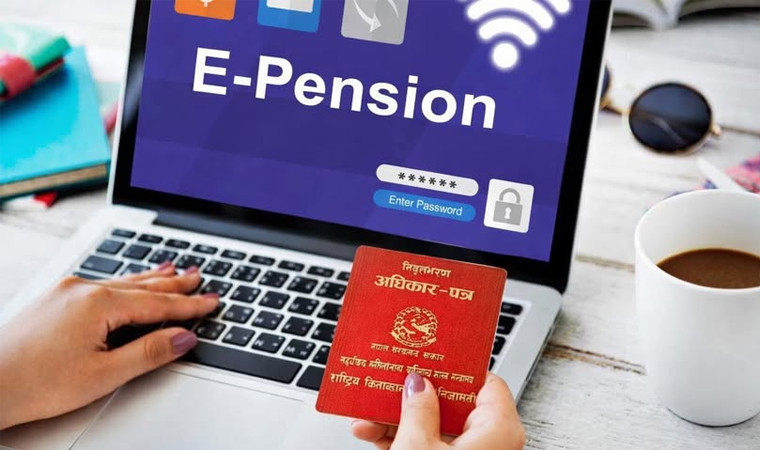
An automated pension verification system, developed to make government service delivery simpler, more accessible, citizen-friendly, and technology-driven, has come into effect today.
At a program held at the Ministry of Finance today, Finance Minister Dr. Swarnim Wagle inaugurated the 'E-Pension Verification System' prepared by the Office of the Comptroller General. Through this system, retired civil servants, teachers, Nepal Army personnel, and police officers can now access pension-related services from the comfort of their homes. Service recipients can utilize the services available through the Pension Management Office's website.
Under this system, service recipients can use online channels to verify their details, obtain pension-related information, and complete necessary procedures. The Office of the Comptroller General stated in a press release that video tutorials are available within the system to address any queries or uncertainties regarding its use.
Previously, retired employees were required to visit a bank annually to confirm they were receiving their pension. Similarly, the need to visit the Pension Management Office to open a pension account or select a bank has been eliminated. Now, service recipients can choose a bank that is convenient for them to receive services.
This technology, 352,816 pensioners have now been relieved of the hassle of having to stand in long lines at banks or physically visit government offices to renew or access their pensions. Earlier, the legal requirement to visit banks at least once a year had caused great hardship to the elderly, disabled and especially pensioners living abroad.
How to use the e-Pension service
According to the Office of the Comptroller General and the Pension Management Office, pensioners will be able to avail the service from their own mobile or computer. For that, first go to the Pension Management Office website pension.gov.np. There, click on the IPMS-V2 button under 'Our Services'. Sign up by entering your 'Pension Address Number' and password.
For security, a 6-digit OTP code will be sent to your registered mobile number. Enter the code in the system and confirm. After logging in, start the 'Liveness Verification' on the dashboard. For this, you need to sit in a well-lit area and keep your face steady in the center of the camera frame.
The system will then automatically recognize your face. Once your face is recognized, one of the hand signals (such as Thumbs Up, Thumbs Down, or Victory Sign) will be displayed on the screen. The corresponding hand signal must be clearly shown in front of the camera. Once the system recognizes the hand signal, it will confirm that you are really present and the recognition will be successful.
How did you feel after reading this article?
Related Posts





Recent Posts




